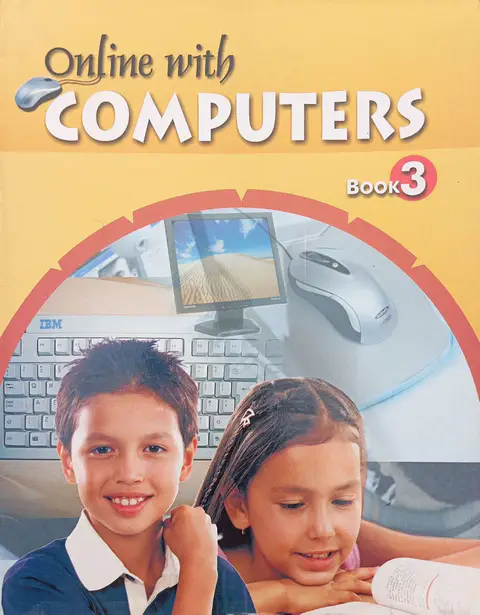
Online with Computers Book 3 is the comprehensive computer science coursebook for Class 3 students at Allied Schools. Authored by A.S. Mitchell, this book introduces young learners to the fascinating world of digital creativity and basic programming.
This edition is specifically designed to transition students from basic computer usage to actual content creation. It covers two major software tools: MS Paint for digital art and LOGO (Logic Oriented Graphic Oriented) for introductory programming.
Table of Contents
The book is divided into 9 interactive chapters. Below is the complete list:
- 1. Computer Introduction: Parts of a computer, keyboard keys, and mouse handling.
- 2. Operating the Computer: Correct steps to Switch ON/OFF and sharing resources.
- 3. Windows and Paint: Introduction to Desktop, Icons, and Menus.
- 4. Drawing and Colouring in Paint: Using the Toolbox, Color Box, and saving drawings.
- 5. Introduction to LOGO: Understanding the LOGO opening screen.
- 6. Primitives in LOGO: Learning commands like FD (Forward), BK (Back), and Command Rules.
- 7. Turning Primitives in LOGO: Using RT (Right) and LT (Left) commands.
- 8. Screen Primitives: Commands like CLEAN, CS (Clear Screen), CT (Clear Text), HT (Hide Turtle), and ST (Show Turtle).
- 9. Printing and Maths in LOGO: Using PR and LABEL commands for text output.
Detailed Course Syllabus
This book follows a structured curriculum:
- Windows & Paintbrush: Students learn to identify the Title bar, Menu bar, Status bar, and Option box. They practice creating new drawings and saving them.
- LOGO Programming: A significant portion is dedicated to the Turtle (cursor) and Command Rules. Students learn to control the turtle’s movement and perform basic math functions using the Output box.
Key Features
To ensure concepts are easily understood, the book includes:
- ✓ Interactive Approach: Lively and realistic explanations with screenshots of Windows XP and Office XP.
- ✓ Time Savers: Techniques to complete tasks quickly in the lab.
- ✓ Knowledge Key: Highlights relevant information for the lesson.
- ✓ Practice Session: Lab exercises to practice theory in a real computer environment.
- ✓ Teacher’s Notes: Suggestions for teachers to conclude lessons effectively.
Perfect For
- Students of Class 3 in Allied Schools.
- Beginners learning MS Paint and LOGO basics.
- Parents and teachers looking for the official syllabus book.
Delivery Information
Order online today!
- Available In: Lahore, Karachi, Islamabad, Rawalpindi, Peshawar, Quetta, and all major cities.
- Payment: Secure Cash on Delivery (COD) available.
Order Now and give your child the perfect start in computer programming and digital art with Online with Computers Book 3!